01 / UPLOAD
Bring your purchase order
Upload a PDF, spreadsheet, or image, or paste an email order. Start with the files your customers already send.
Built for Shopify · Invitation-only beta
Turn the purchase orders in your inbox into draft orders in your store. Upload, review, and create, with you in control.
Less manual entry. Every detail ready for your review.
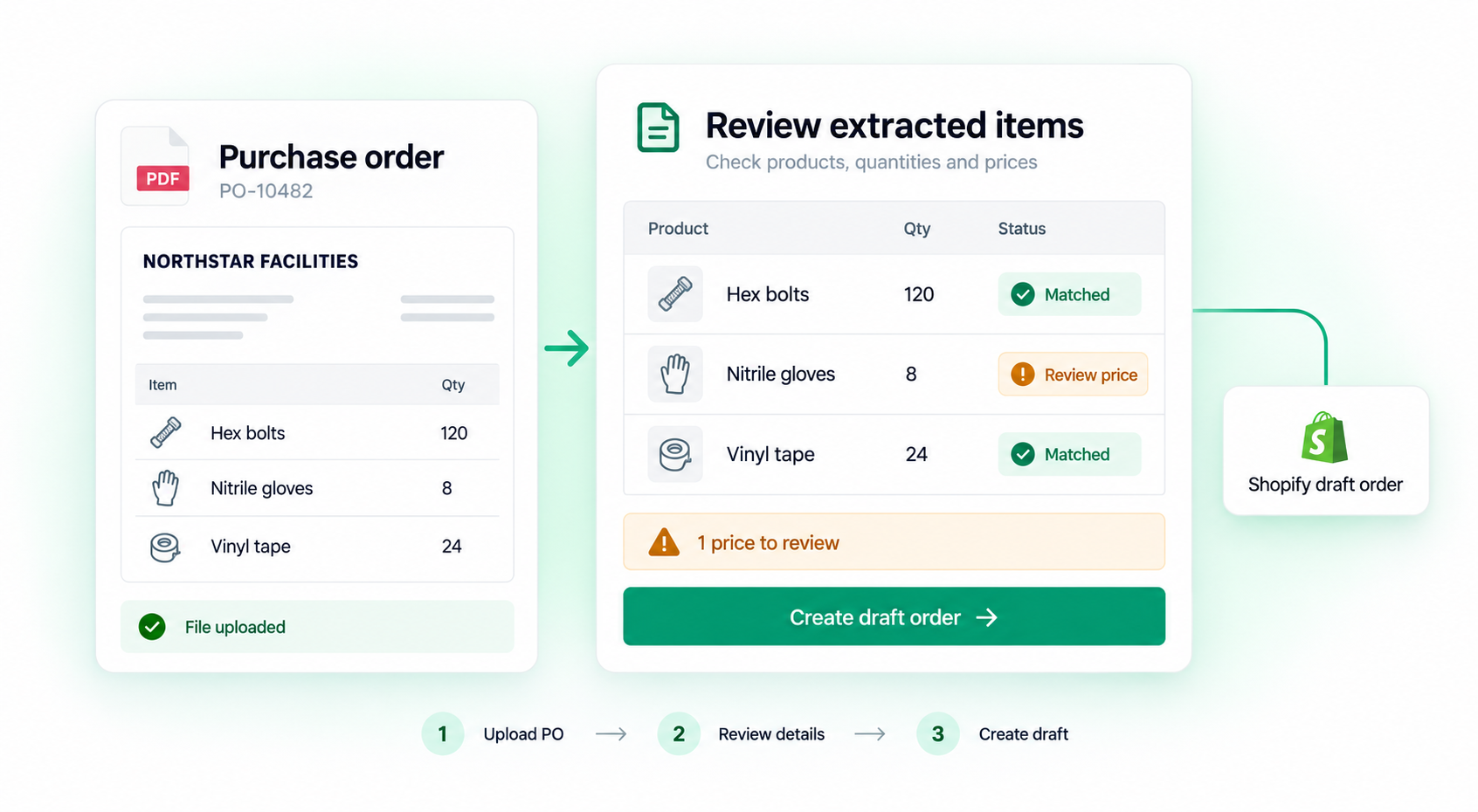
Your customers' formats. One clear workflow.
From inbox to draft
OrderDraft handles the extraction. You make the decisions.
01 / UPLOAD
Upload a PDF, spreadsheet, or image, or paste an email order. Start with the files your customers already send.
02 / REVIEW
Check the buyer, matched products, quantities, and prices. Resolve warnings with the source beside you.
03 / CREATE
Preview the result and confirm when everything looks right. You decide when the draft is created.
Download a sample PDF to explore the workflow once you have access.
Automation with a checkpoint
Uncertain matches and price differences stay visible, so you can resolve them before they reach Shopify.
Explore security and data handlingReview customer and product matches against your Shopify records. Confirm uncertain matches yourself.
See price differences beside the line items and decide which price to use before creating the draft.
Source files use private storage and signed previews, with shop data protected by Shopify authentication.
Start with the paid beta
Built for merchants who receive customer purchase orders and still enter them manually.
Current beta: automatic inbound email forwarding and Shopify B2B Company workflows are not included.
Starter
$49 USD / month
100 successfully processed POs per month.
14-day trial with 20 successfully processed POs. New uploads pause until the monthly allowance resets.
Pricing and billing FAQLet's simplify your next purchase order
See whether OrderDraft is a good fit for your store.
Email support is provided on a best-effort basis during the beta.
Install OrderDraft from the Shopify App Store or Shopify Admin.
Already installed? Open Shopify Admin → Apps → OrderDraft.